Transfer files from mobile to the computer without USB
Steps to share docs:1. First download the app from here
2. Now open the app on the android mobile phone.
3. Before opening the app, ensure that your mobile and pc connected to the same LAN or wifi network.
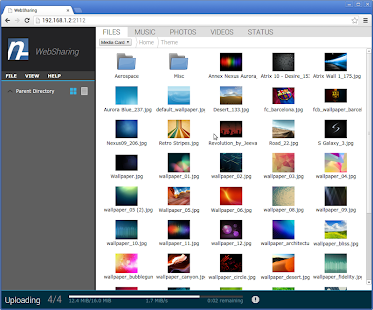
4. After opening the app it will show you an IP address and a password for, e.g. IP- 192.168.1.2:2112 password- x5ly2z (it's generated by the app)
5. now open any web browser on your pc or laptop and enter that IP address given by the app in the address bar
6. The login page will be open in the browser enter the password given by the app and click login
All set!!! now share files between pc and mobile.. sharing speed will be 5 to 7 Mbps
Download links:-
Torrent link
If you have any problem then ask in the comment section, we will try to solve it.
To read the latest short news on tech or other topics, click on short news.
To read the latest short news on tech or other topics, click on short news.

No comments:
Post a Comment